
Use the Motion search task to search the video archives for video sequences that detect motion in specific areas of a camera's field of view.
The following figure shows the Motion search task.
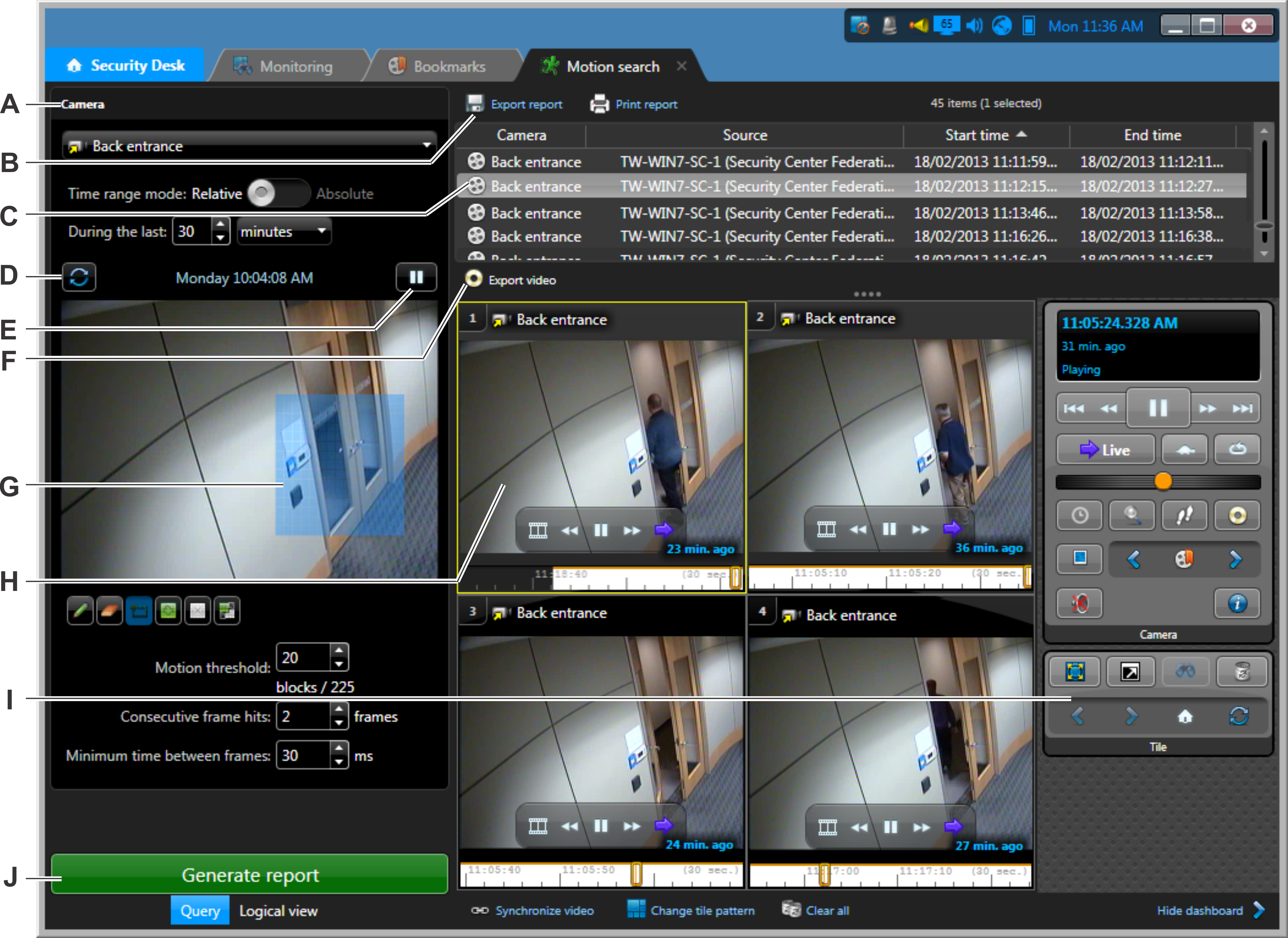
| A | Query filters. |
| B | Export or print the report. |
| C | The motion events are listed in the report pane. |
| D | Refresh the preview image. |
| E | Play the video in the preview image. |
| F | Export video associated with the selected bookmarks. |
| G | Motion detection zone for your search. |
| H | Video sequence of a motion event in a tile. |
| I | Controls pane widgets. |
| J | Run the report. |
| ©2019 Genetec Inc. All rights reserved. |  |