
Use the Alarm monitoring task to monitor and respond to active alarms in real time, as well as review past alarms.
The following figure shows the Alarm monitoring task.
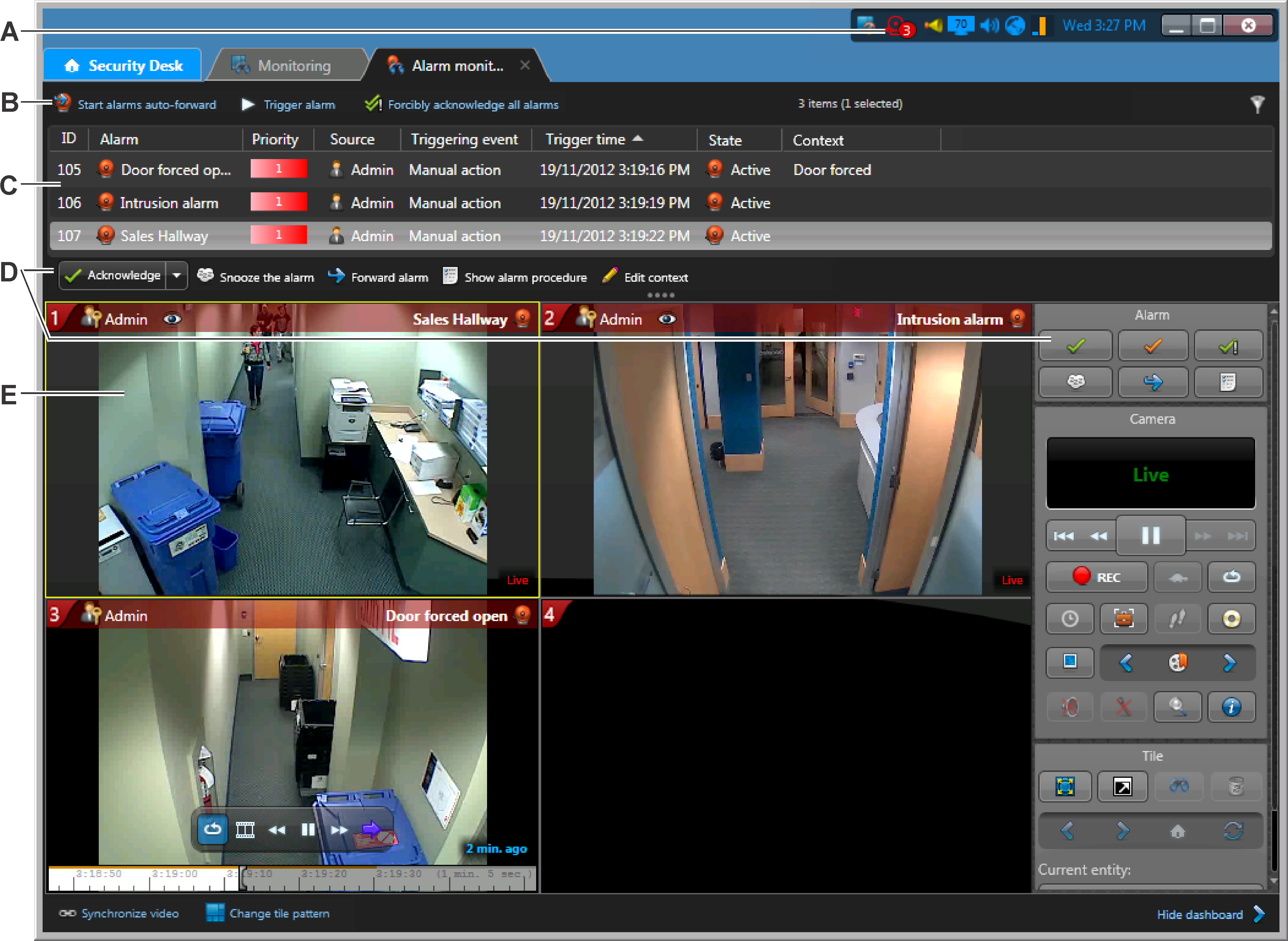
| A | The alarm monitoring icon turns red when there is an active alarm. Double-click to open the Alarm monitoring task. |
| B | Additional alarm commands.
|
| C | Current alarms are listed in the alarm list. To change the
columns that are shown, right-click a column heading, and then click
Select columns. Right-click an alarm to go to the configuration page of the alarm or its source entity. |
| D | Commands to control active alarms. Click the Acknowledge drop-down list to see all available commands. |
| E | Video of an alarm in a tile. The video is displayed with a colored overlay with details of the alarm. |
| ©2019 Genetec Inc. All rights reserved. |  |